Print Support Application (PSA)

Print Support Application (PSA) for DEVELOP ineo devices
Secure, Driverless Printing for Windows 11 Environments
DEVELOP (a Konica Minolta brand) introduces the Print Support App, a free Microsoft Store application engineered to support Microsoft’s latest Windows 11 print security architecture, including Windows Protected Print Mode (WPP). The app enables secure, driverless printing on ineo devices, helping organizations transition to Microsoft’s modern print framework without interrupting everyday business workflows.
A New Standard in Windows Print Security
With the introduction of Windows Protected Print Mode (WPP), Microsoft is redefining how printing works in Windows 11. Traditional printer drivers are removed from the operating system, significantly reducing potential security vulnerabilities.
This modern architecture helps organizations to:
- Minimize exposure to driver-related security risks
- Reduce the likelihood of data breaches and cyberattacks
- Strengthen overall endpoint protection
- Improve Windows system stability
As WPP-enabled environments become the new standard across enterprises and public sector organizations, ensuring compatibility with this security model is essential.
What Is the Print Support Application?
The Print Support App is Konica Minolta’s implementation of Microsoft’s Print Support Application (PSA) framework.
It allows users to print to compatible ineo systems even when Windows Protected Print Mode is activated — ensuring compliance with enhanced Windows security requirements while maintaining core printing functionality.
Key Capabilities
WPP-Ready Printing
Designed specifically to operate in Windows Print Protected Mode, enabling secure output in hardened Windows 11 environments.
Automatic Microsoft Store Deployment
When adding a supported printer in Windows 11, the Print Support App installs automatically from the Microsoft Store — no manual driver packages or complex configuration required.
Reliable Printing in Secure PC Setups
Supports printing to ineo devices from WPP-enabled PCs — maintaining productivity without compromising IT security policies.
Intuitive, Driverless Interface
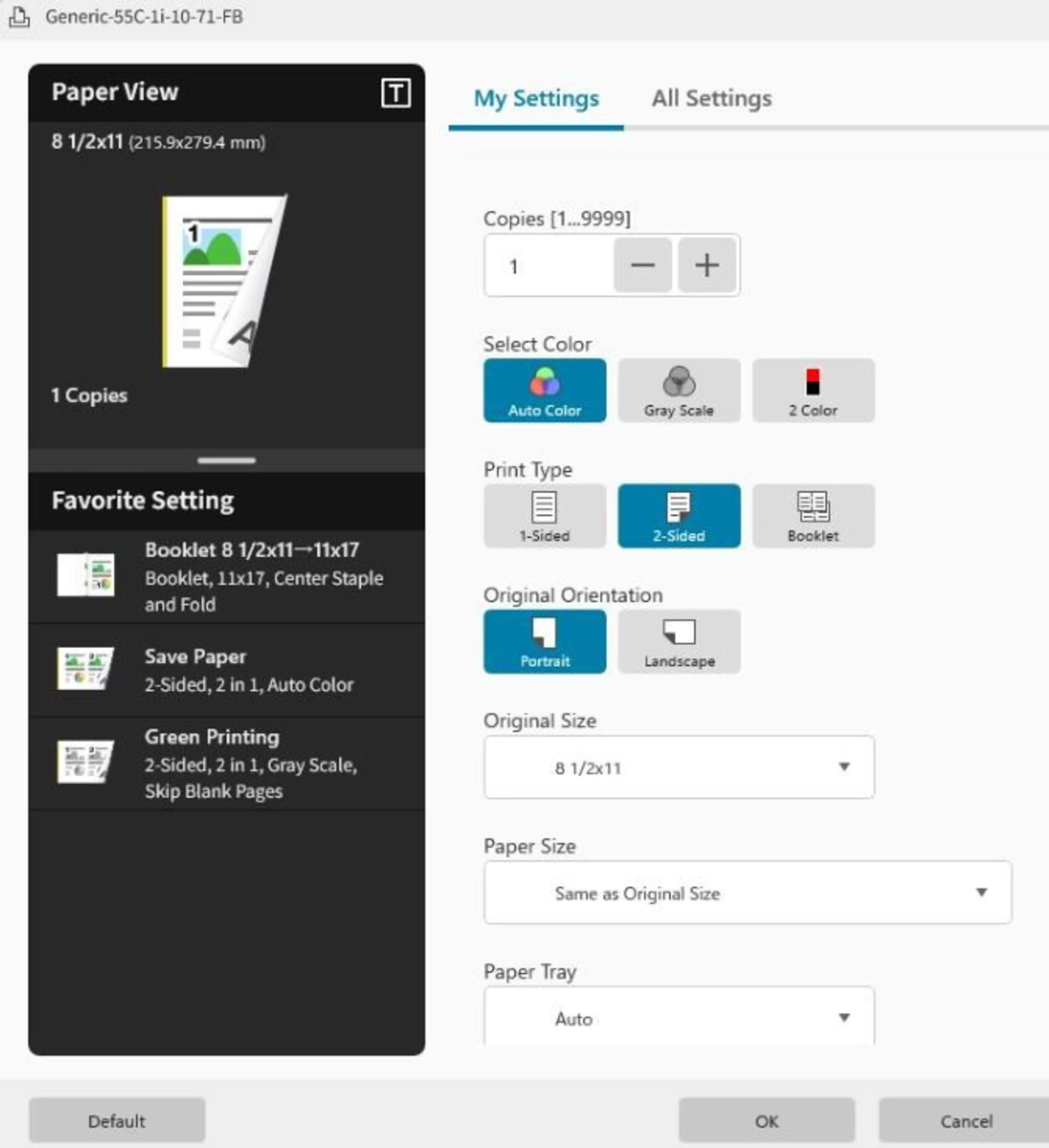
Provides a streamlined, modern print settings interface that allows users to configure essential options quickly and easily.
Current Feature Scope
The first release of the Print Support App delivers a focused set of core print configuration features designed for secure WPP environments.
Konica Minolta will continue to:
- Expand supported ineo models
- Broaden available print functionality
- Enhance security capabilities
- Deliver ongoing improvements through future updates
This phased approach ensures long-term alignment with Microsoft’s evolving print platform.
Who Benefits from the Gen Print Support App?
The solution is ideal for:
- Organizations deploying Windows 11 with WPP enabled
- Enterprises and government agencies with strict security policies
- IT teams aiming to reduce print driver management overhead
- Businesses seeking driverless printing without operational disruption